
Date stamp camera for iPhone
A date stamp camera prints the date on the photo the moment you take it, like the orange digits on old film cameras. On iPhone, an app such as Geoplate does this in many styles: a plain date, a big clock, film digits, or a work stamp with the time and address.
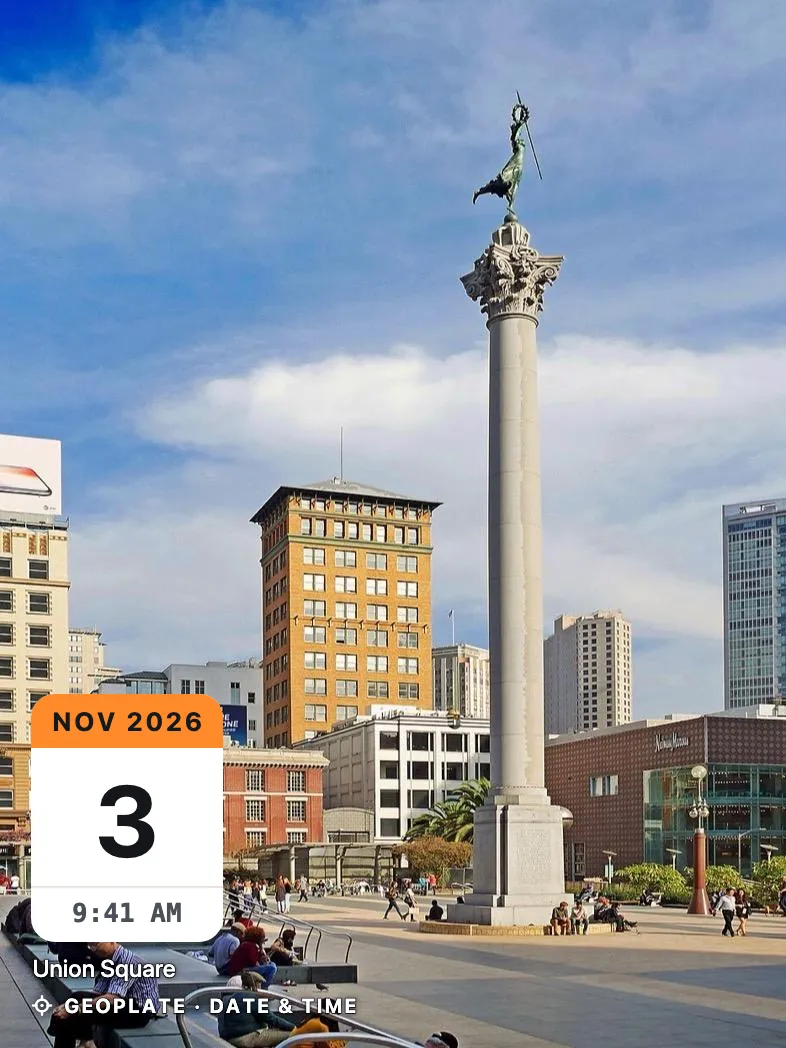
Two kinds of date stamp
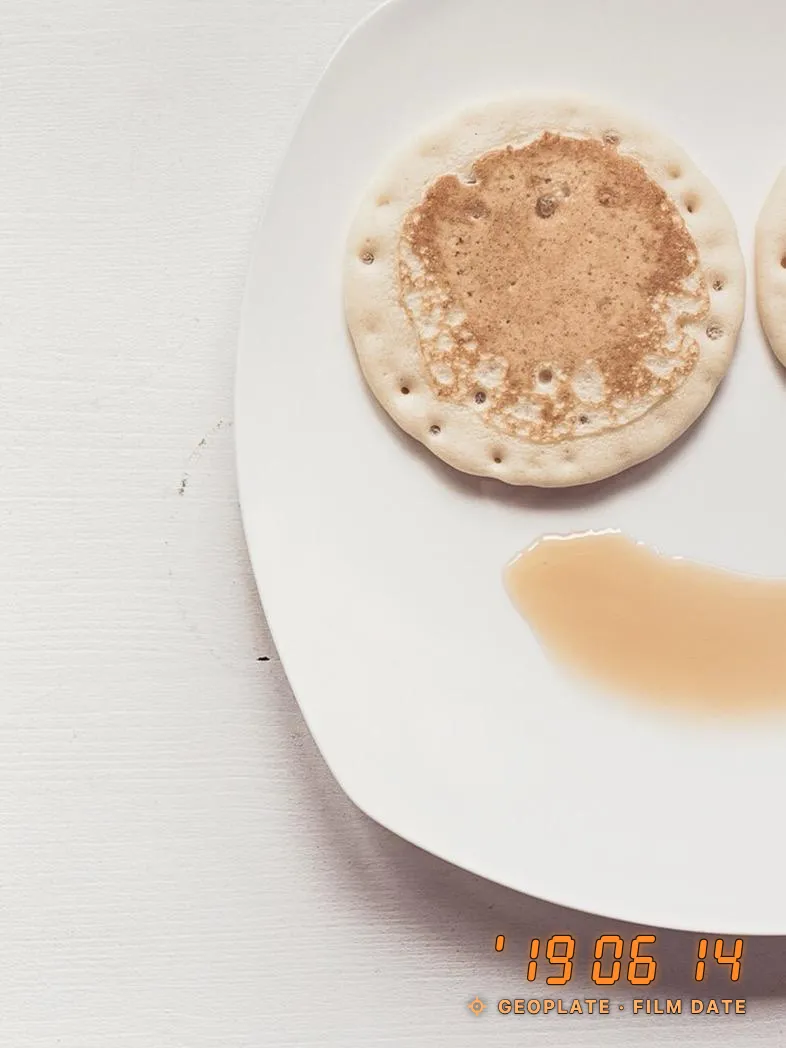
Compact film cameras from the '80s and '90s printed the date in the corner of the frame, in small orange digits. People still like that look for trips and family photos, and it's what many mean by "date stamp".
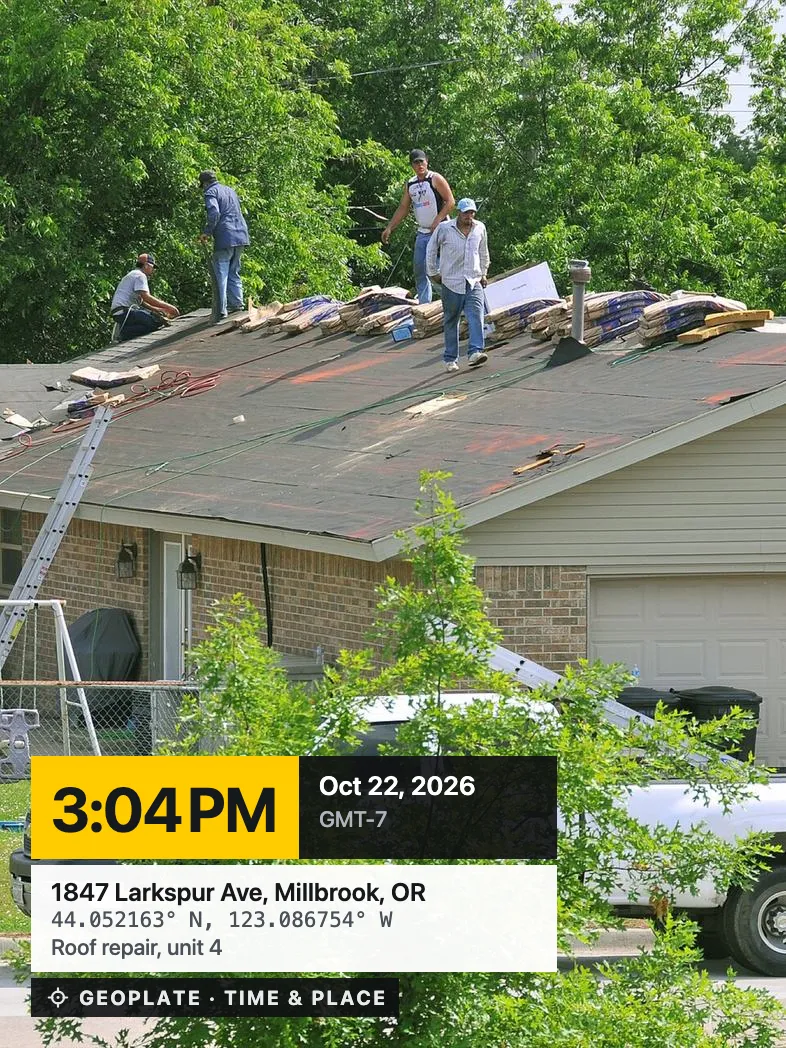
The other kind is the work stamp: the date with the time, often the address, a job name or a label like Before. Contractors, cleaners, drivers and tenants use it so a photo answers "when?" without a word of explanation.
Geoplate does both from the same camera. You switch with a swipe.
Date stamps in Geoplate
| Stamp | What it shows | Good for |
|---|---|---|
| Film Date | The date only, in five styles: orange digits, red dot digits, a date along the edge, a black film border, a white instant-photo frame | Trips, family photos, a retro look |
| Date & Time | The date as the headline, then the time and your title; five styles, including an ink stamp and a receipt | Everyday shots, before and after |
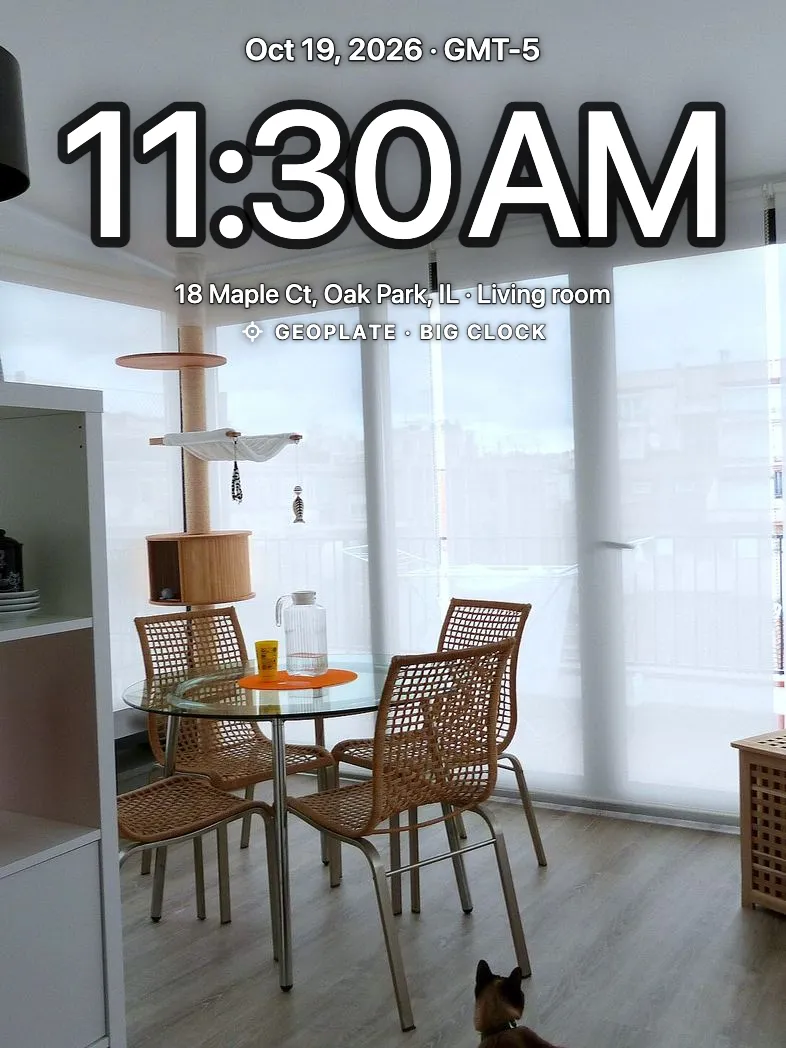
| Big Clock | A large time like the iPhone Lock Screen, with the date and address | A quick record of when |
| Weekday | The day of the week in large type, with the date | Diaries and routines |
| Day Counter | The date plus Day 12, or Day 38 of 120 | Long jobs, challenges, progress photos |
| Time & Place | Time, date, time zone, address, coordinates and the project | Work photos |
How to set up a date stamp
- Open Geoplate. The stamp is live on the camera screen, with the clock running.
- Swipe left or right on the stamp to change templates, or open the template list and search for "date".
- Tap the stamp to edit it: switch the time, seconds, time zone or address on or off.
- Pick one of five colors and one of six positions, or drag the stamp and pinch it to resize.
- Shoot. If you like the setup, save it as your own template, or star it to find it fast.
Date and time formats
- 12- or 24-hour clock, or follow your iPhone setting
- Your date format, with or without seconds
- The time zone on the stamp, like GMT-5
- The day of the week
- A day counter, with or without the planned number of days
Film Date always uses numbers, the same in every language. The orange style reads year, month, day, like '26 10 24; the red dot style reads month, day, year.
Film look or work stamp: which to pick
If the photo is for you, choose by looks. Film Date is the most nostalgic, Weekday makes a nice diary, and Big Clock is easy to read on a small screen.
If somebody else will rely on the photo, put more on it: the time and time zone, and the address. A date alone tells the day but not which house or which shift. Time & Place or a template from your line of work does that, and the construction and other work sections add labels and lines like Job # or Crew.
You don't have to decide forever. On shots kept in the app you can change the template after the fact.
Photos you already took
The camera stamps new shots. For photos already in your library, Old photos prints each one's own date, not today's. The steps are in how to timestamp photos you already took, and the retro styles are covered in the film date stamp guide.
Where to go next
Questions
What is a date stamp camera?
A camera that prints the date on the photo when you take it. Film cameras did it with orange digits; on iPhone, apps like Geoplate print it in the style you choose.
Is there a date stamp camera with the old orange date?
Yes. Geoplate's Film Date stamp prints glowing orange digits in the corner, like a '90s point-and-shoot. It has four more styles, including a film border and an instant-photo frame.
Does the date come from my phone?
Yes. In the camera the date and time come from your iPhone's clock at the moment of the shot, and the time zone can be printed too.
Can I use a date stamp on video?
Yes. Videos take the same templates as photos, and the time keeps running on the stamp while you record, for clips up to 10 minutes.
Is it free?
All templates are free. The free version saves a limited number of shots to Photos and shows the Geoplate name on the stamp; Geoplate Pro removes both limits.