
Construction photo app with timestamp
Geoplate turns your iPhone into a jobsite camera: every photo shows the date, time, address and project, so progress photos sort themselves out. It's made for a contractor or a small crew, with each person shooting on their own iPhone.
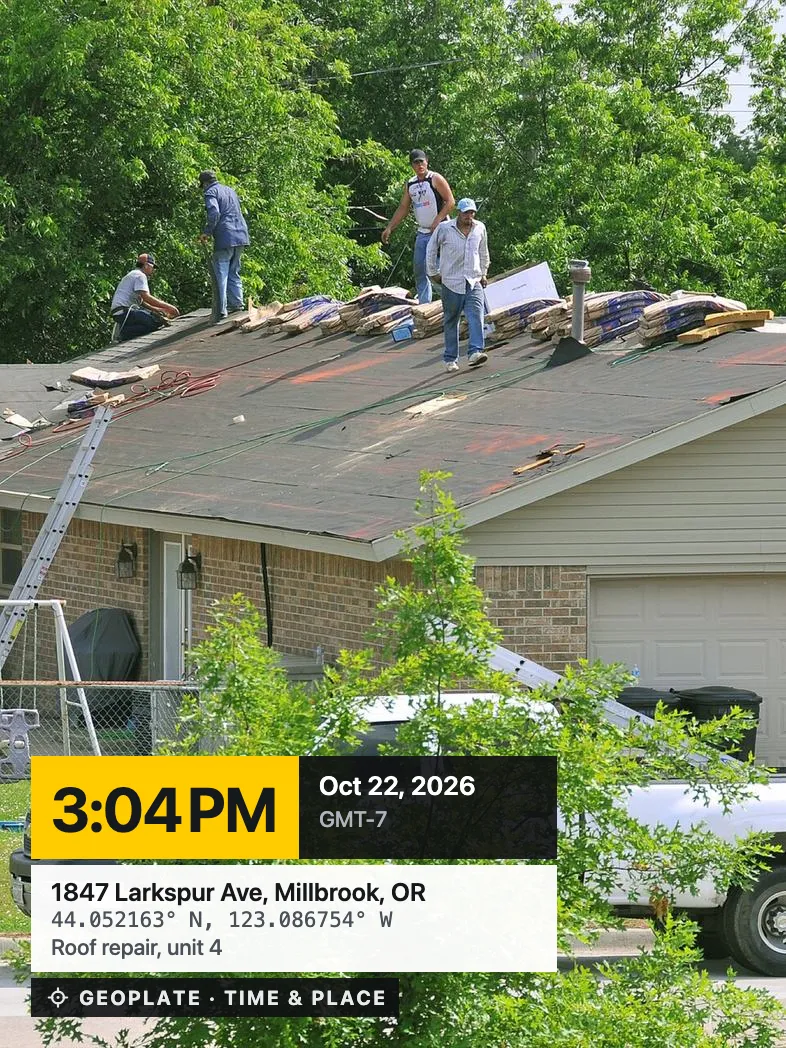
When you need it
Daily progress
Shoot the same corner every day. The day counter shows Day 38 of 120.
Before you cover it up
Wiring, plumbing and framing before the drywall goes on, with the date on each shot.
Job done
A final photo with the address and a Job done label for the client.
Deliveries and damage
What arrived, when, and in what shape.
What helps on site
Stamps for construction
The Construction section has stamps for sites, trades and finished work. Add your logo, the project name and lines like Job #, Crew or Lot. 250+ stamp templates
Made for you and a small crew
Geoplate keeps photos on your iPhone, sorted by project. There is no shared team account and no PDF reports. To share, save photos to Photos and send them the way you already do.
Questions
Can I keep photos separate for each jobsite?
Yes. Create a project for each site and shoot straight into it. The project name can go on the stamp.
Can my crew use it?
Each person installs Geoplate on their own iPhone. There is no shared team space; photos are shared by saving them to Photos and sending them.
Can I put my company logo on the photos?
Yes. Turn on the Logo field in the stamp settings and pick your logo.
Does it work on a site with no signal?
Yes. The date, time and coordinates are stamped offline. The street address needs a connection.